Updating Rest PKI on Windows Server
For atualizate your instance from Rest PKI, follow the instructions from this page.
Before to start, verify the configuration of atualizations from the database from the system. Also check the minimum .NET version required on Windows.
- Create a backup of the database and of the site folder
- Delete all files on the site folder EXCEPT THE FILES
AppSettings.configandConnections.config - Extract the contests of the new Rest PKI package (restpki-1.33.8.zip) to the site folder
- Access the website
Since the package does not contain files named AppSettings.config and Connections.config, its files with these names containing system settings will be preserved during the operation.
If you see the screen titled "REST PKI on premises", the process is complete.
If the system is configured to perform manual database model updates, an additional procedure may be required to update the database.
To know in advance if an upgrade will require database upgrade, look at the Rest PKI Changelog if any
of the versions between the version you are installing and the one you are installing are marked as requiring database upgrade. To learn how to verify the installed version of the system, see this article.
In this case, the message "HTTP Error 503.0 - The server is currently undergoing maintenance. Please try again later." when accessing the system as follows:
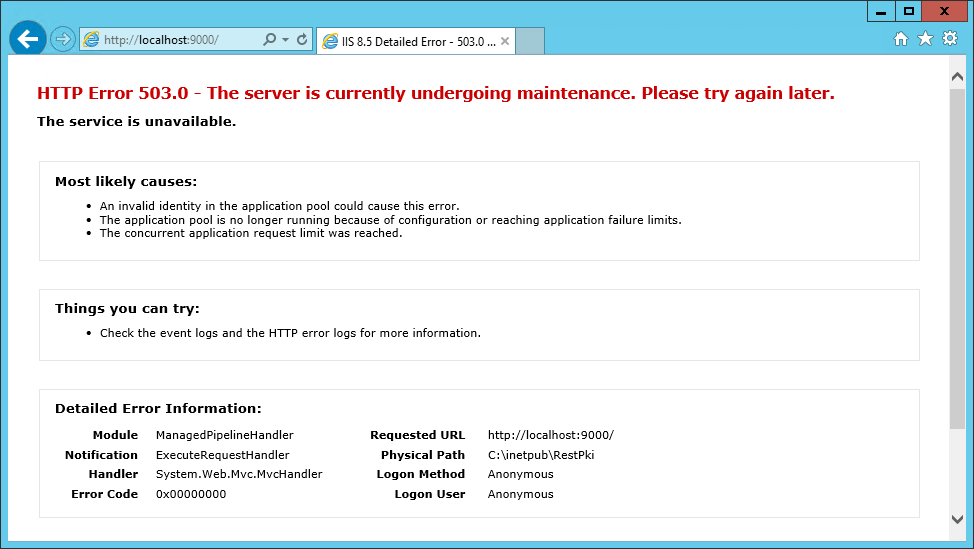
Then perform manual database update.